Moon Locator - Lunar Calendar
- 4.1
- Rating
- 1.00M
- Installs
- Free
- Price
 Analysis by App-foxy
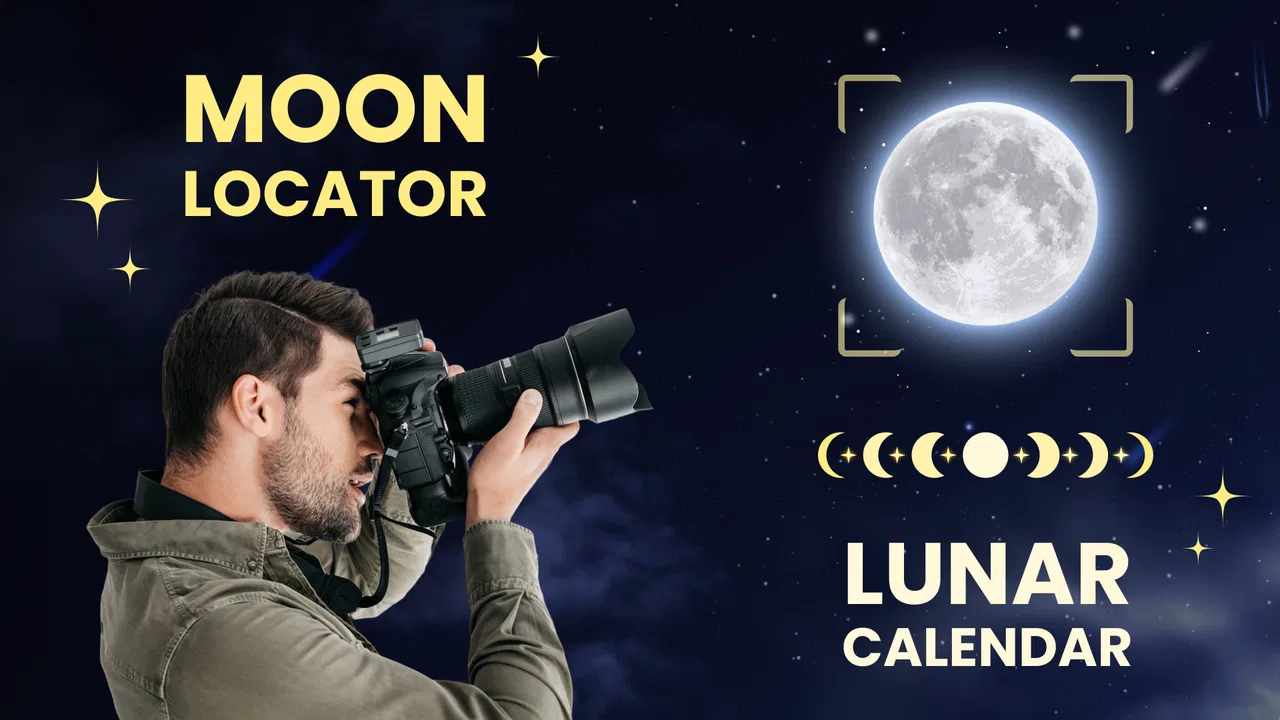
I like moon apps when they do more than decorate the screen with a lunar image. Moon Locator - Lunar Calendar is aimed at people who want a practical way to follow moon phases, consult a lunar calendar, and understand where the Moon is in the sky. After spending time with it, I see it as a focused education app rather than a full astronomy workstation. It is approachable enough for a curious beginner, but its value becomes clearer when you use it as part of a repeatable observation habit.
The app is free to download, carries an Everyone age rating, and comes from Battery Stats Saver. Its public presence is substantial, with more than a million installs, a 4.1 average from roughly six thousand ratings, and 187 written reviews. Those figures suggest that it has reached a broad audience, although they do not change my main conclusion: this is best judged by how comfortably its moon-tracking tools fit into your routine.
Using the lunar calendar as a daily reference
My baseline workflow with the app would be simple. I would open it when I want to identify the current phase, check the lunar calendar before planning an evening outside, and use the locator view when I want a better sense of where to look. That sequence matters because each part answers a different question. The calendar tells me how the Moon’s cycle is progressing, while the locator idea turns that information into something I can use outdoors.
You May Also Like

 Blood Strike: 2.5 Anniversary
Blood Strike’s Loadouts Turn Every Drop Into a Tactical Gamble
A close look at Blood Strike’s custom loadouts: how fast access to signature weapons reshapes its battle royale rhythm, rewards preparation, and narrows the gap between fights.

 Pandora - Music & Podcasts
Pandora’s Music Is Easy to Start, but Harder to Recover
Pandora’s strength is its low-effort path from a seed to a station. Its weak spot is how much confidence it asks you to place in connection, setup, and quiet recovery.

 8 Ball Pool
 Is Built on Rivalries, Rematches, and Routine
A close look at the rivalries, rematches, shared routines, and unanswered safety questions that turn a quick pool match into a persistent mobile community.

 Samsung Music
’s Quiet Strength Is Playing What You Already Own
Its reach comes less from spectacle than from dependable access to a personal library. That simplicity is both the app’s strongest retention engine and its ceiling.

 AccuWeather: Weather Radar
AccuWeather Review: A Quick, Clear Forecast for Everyday Decisions
For everyday plans, the best forecast is the one you can understand quickly. AccuWeather makes rain timing, radar, and local conditions easy to act on, with a few trade-offs.

 Hill Climb Racing
Why Hill Climb Racing Still Turns Crashes Into One More Run
A tiny car, a bumpy hill and one more upgrade: Hill Climb Racing keeps resurfacing because its simple chaos makes every near-miss feel personal.
More From Our News Desk



That makes the app more useful than a static phase chart. A chart can tell you that the Moon is waxing or waning, but it does not necessarily encourage you to connect the phase with an actual observation. Moon Locator is more interesting when I treat it as a bridge between a date-based reference and the real sky above me.
A realistic everyday example would be an evening walk with a child who has started asking why the Moon looks different from one night to the next. I could check the calendar before leaving, explain the expected phase in ordinary language, and then use the locator view outside rather than trying to guess the Moon’s position. The app does not replace seeing the sky directly, but it gives the activity a clear starting point.
I also found that a lunar calendar is useful for planning photography or quiet observation without pretending that the app can solve every outdoor variable. A bright Moon may make some stars harder to see, while a thinner crescent can create a very different visual experience. The calendar helps me choose a general night; weather, local obstructions, and light pollution still decide how successful the outing will be.
The strongest habit is to check the app before going outside, not only while standing outdoors. Looking first gives me time to choose a location with a clearer horizon and to avoid confusing a low Moon with a missing Moon. When I open the locator only after I have already arrived, I am more likely to treat it as a quick answer instead of using it to plan properly.
What beginners can learn from it
For a newcomer, the main advantage is that the subject stays narrow. There are no unrelated lessons or game mechanics competing for attention. The focus is the Moon: its phases, its calendar, and its position. That makes it easier to build a basic mental model of the lunar cycle than it would be with a large astronomy app filled with planets, catalogs, and technical controls.
I would start by comparing what the calendar shows with what I can see from home. Doing that over several evenings is more educational than opening the app once and memorizing a label. The changing shape becomes connected to dates and observation, which is exactly the kind of small feedback loop that helps astronomy feel understandable rather than abstract.
There is also a useful distinction between “where the Moon is now” and “what phase it is in.” The phase describes illumination from our viewpoint, while the locator helps with direction and position in the sky. A user who learns to keep those ideas separate will get more from the app and will be less likely to assume that a particular phase automatically means the Moon will be visible at a convenient time.
That said, I would not present this as a complete astronomy course. It is a tool for tracking and orientation, not a replacement for a structured lesson about orbital mechanics, eclipses, tides, or the broader night sky. Someone who wants a guided curriculum or a detailed star map may be happier with a dedicated astronomy education app or planetarium tool.
Settings and preparation that make the experience smoother
The most important preparation is not a complicated configuration; it is making sure the app is being used in the right place and at the right moment. Before relying on the locator outdoors, I would confirm that the phone’s orientation is behaving sensibly and that I am holding the device consistently. A compass-style experience can feel inaccurate when the phone is tilted, near magnetic interference, or being moved quickly.
This is a practical limitation rather than a reason to dismiss the app. Directional tools depend on the phone and the environment as well as the software. If the display seems to point somewhere unexpected, I would first step away from metal objects, hold the device level, and compare the suggested direction with a broad landmark. That simple check prevents me from blaming the lunar information for a problem caused by the surroundings.
I would also check the app’s available display preferences before settling into regular use. The useful choices are the ones that reduce friction: a readable calendar view, a comfortable visual layout, and any options that make the current phase or locator easier to reach. I would avoid changing several things at once, because it becomes difficult to tell whether a new arrangement is genuinely faster or merely unfamiliar.
Experienced users often benefit from a fixed order rather than constant experimentation. My preferred order would be calendar first, current phase second, locator third. That gives me context before I start looking for a direction. If I reverse the order, I may find the Moon’s general position without understanding whether I should expect a broad illuminated disk, a narrow crescent, or a phase that is difficult to see at the time I am outside.
The version available for the app is 4.6.4 and it supports devices running Android 7.0 or later. That makes it accessible to many older Android phones, but I would still keep expectations realistic on aging hardware. A supported operating system does not guarantee that every sensor behaves equally well on every device, and the locator experience is naturally more convincing on a phone with dependable orientation hardware.
Because the app is listed as free but includes optional purchases ranging from $0.99 to $99.99 per item, I would pay attention to any purchase prompts during setup and use. I would first evaluate the free experience against my actual needs instead of assuming that every visible option is essential. For occasional phase checks, paying may not be necessary; a committed user can decide later whether an extra option justifies the cost.
Small preparation choices with a real payoff
One useful technique is to save a consistent observation spot in your own routine, even if the app does not provide a special location-management system. I can note where the eastern, southern, and western horizons are from that spot, then use the locator as a guide rather than as my only source of orientation. This combination is more reliable than waving the phone around and expecting an instant answer in every direction.
Another is to compare the app’s calendar with an actual paper or wall calendar when planning family activities. The point is not to duplicate information for its own sake. It is to make the lunar cycle part of a date-based plan: choose an evening, check the expected phase, then decide whether the viewing goal is the Moon itself, a darker sky, or simply a short educational activity.
I would also avoid judging the app in a bright room. The locator has a clearer purpose outdoors, and the calendar makes more sense when I am using it to answer a real question. Testing it only by tapping through screens can make it seem like a collection of labels. Using it before a walk, a photography session, or a lesson reveals the practical connection between its parts.
Faster patterns for repeat users
Once the basic workflow feels familiar, the app works best as a quick-reference tool rather than something I explore from scratch every time. I would open it with a specific question already in mind: What phase is expected tonight? Is the Moon likely to be in a useful part of the sky for my route? Which date should I choose for a family observation? Specific questions keep the session short and make the information easier to remember.
A repeatable weekly habit can be more valuable than checking it randomly. For example, I might look at the calendar on the same evening each week, note how the illuminated portion has changed, and choose one night for a closer look. This turns the app into a lightweight learning record, even if the actual notes are kept elsewhere. The important insight is that the calendar becomes a pattern-recognition aid, not merely a date display.
For photography, I would use a two-stage process. First, I would inspect the lunar calendar to choose a phase that matches the intended mood. Second, I would use the locator shortly before leaving to decide where to stand. This separates creative planning from last-minute orientation. It also avoids a common mistake: selecting a phase that looks appealing in theory but faces a blocked horizon from the chosen location.
For teaching, I would keep the phone in the background. I could ask a child or student to predict the next visible change, check the calendar together, and then look outside. The app should support the conversation rather than become the lesson itself. That approach makes the experience less passive and helps the learner understand that the Moon’s appearance changes gradually over time.
Shortcuts are useful when they lead directly to a repeatable action. If the phone makes it easy to place the app where it can be opened quickly, I would use that convenience for scheduled observation rather than for constant checking. The goal is not to spend more time inside the app. It is to reduce the steps between a question and a useful answer.
I would also treat the locator as an aid to confirmation, not an authority that overrides common sense. If the suggested direction conflicts with a building, hill, or tree line, I would move to a clearer viewpoint or wait for a better opportunity. The app can tell me where to look, but it cannot remove the physical limits of my surroundings.
Where it fits beside familiar alternatives
Compared with a general weather or calendar app, Moon Locator is more focused on the lunar cycle and observation. A normal calendar may help me schedule an event, but it usually does not provide the same dedicated connection between phase information and finding the Moon. On the other hand, a general astronomy app may offer a much wider view of the sky, including stars and planets, making it a better choice for someone who wants one tool for an entire night-sky session.
Compared with a simple moon-phase widget or website, this app has a more active use case because of its locator emphasis. A widget is quicker for a glance, especially if I only want a phase label. Moon Locator earns its place when I intend to do something with that information, such as observe, photograph, explain, or plan.
The trade-off is depth. A specialist planetarium app may provide richer astronomical context, while a basic phase calendar may feel cleaner and faster. I would choose this app for a middle ground: more purposeful than a decorative phase icon, less demanding than a full sky atlas. That position is useful, but it also means users with very specific technical needs may outgrow it.
Advanced limits and situations where I would skip it
The biggest limitation is that a lunar locator cannot guarantee visibility. Clouds, haze, buildings, trees, hills, and urban lighting remain decisive. Even with a correct direction, the Moon may be below the horizon, too low for a clear view, or hidden by the local landscape. I would never use the app as a promise that an observation will succeed.
Phone orientation is another source of friction. A user expecting perfect pointing accuracy may become frustrated if the device sensor needs careful handling or if the surrounding environment interferes. This is especially important for people who want precise astronomical measurements rather than a practical “look over there” guide. In that case, a dedicated observing setup or a more technical astronomy application would be a better match.
I would also skip it if my main interest is the entire night sky. The app’s identity is clearly lunar, so someone looking for deep-sky objects, detailed star charts, telescope control, or an extensive educational sequence should start elsewhere. Installing it alongside another astronomy tool can make sense, but I would not expect it to replace one.
The purchase structure deserves a measured approach as well. Free access is attractive for casual users, but the presence of optional items means I would avoid buying anything until I know which part of my routine it improves. A person who checks the phase once in a while may find the basic experience sufficient. A dedicated hobbyist may be willing to spend more, but only if the added functions solve a specific problem rather than simply adding more screens.
There is also a difference between using the app for education and using it for exact planning. It can help explain the cycle and support a viewing habit, but I would not treat it as a substitute for checking local conditions or making careful photographic calculations. The more demanding the goal, the more supporting information I would gather outside the app.
Who will get the most from it
I think it suits curious beginners, parents, teachers, casual photographers, and anyone who wants a dedicated lunar reference without entering a complicated astronomy system. Its Everyone rating also makes it easy to consider for shared family use, although younger children will benefit most when an adult turns the information into an observation activity.
It is less suitable for an experienced astronomer who already uses a comprehensive planetarium application, or for someone who wants a completely passive widget with no interest in locating the Moon outdoors. It may also disappoint users who assume that an attractive phase calendar alone can answer questions about visibility, exact timing, or photographic conditions.
My practical recommendation is to give it a short trial built around a real task. Check the calendar before one planned evening, use the locator outside, and then compare the result with what you actually saw. If that workflow feels natural, the app has earned a place on your phone. If you only want a tiny phase indicator, a simpler alternative may be more efficient.
Battery Stats Saver has kept the product focused enough to be approachable, and the current version, 4.6.4, gives the app a clear identity as a lunar tracking and education tool. The large install base and 4.1 average indicate broad appeal, but my own judgment is more specific: its usefulness depends on whether you connect the calendar to a repeatable habit instead of treating it as a novelty.
My final view is that Moon Locator - Lunar Calendar is worth trying for practical moon watching, not for replacing a complete astronomy suite. I like the way it connects phase awareness with the simple act of finding the Moon, and I appreciate that it can support family learning, casual photography, and regular observation. Its limits are real, especially around phone sensors, local visibility, and technical depth. Used with those limits in mind, it becomes a friendly companion for building a better relationship with the night sky.
FAQs for Moon Locator - Lunar Calendar
01What is Moon Locator - Lunar Calendar used for?
Moon Locator - Lunar Calendar is designed to help users follow the Moon’s position, phase, rise and set times, and lunar calendar information. It can be useful for casual skywatching, photography planning, gardening traditions, fishing schedules, or anyone interested in observing lunar cycles. The app presents astronomical data in a more accessible format than checking separate websites or calendars.
02Does Moon Locator - Lunar Calendar require an internet connection?
Many of the app’s basic functions, such as viewing lunar phases and calendar information, may remain available without a continuous internet connection once the relevant data has been loaded. However, features that depend on your precise location, updated astronomical calculations, maps, weather information, or online services may work better with internet access. Availability can also vary depending on the device and app version.
03Does the app need access to my location?
Moon Locator - Lunar Calendar may request location permission to calculate accurate Moonrise and Moonset times, display the Moon’s position from where you are, and provide location-specific lunar information. You can often enter a place manually or deny permission, but doing so may reduce accuracy or require additional setup. Before accepting, review the permission explanation and your device’s privacy settings.
04Is Moon Locator - Lunar Calendar suitable for beginners?
Yes, the app is generally intended to make lunar information easier to understand for people without an astronomy background. Beginners can use it to identify the current Moon phase, check upcoming changes, and plan observations. Some terminology and astronomical displays may take a little time to learn, but the practical calendar-style information makes the app approachable for casual users.
05Is Moon Locator - Lunar Calendar free to download, and are there in-app purchases?
The download model, advertising, and available premium features can depend on the platform, region, and current version published in the Google Play Store or Apple App Store. Before installing, check the store listing for subscription details, one-time purchases, advertisements, and any trial conditions. It is also worth reviewing recent user comments, since pricing and included features may change over time.
Pros
- Shows the Moon’s current phase and illumination at a glance.
- Provides moonrise and moonset times for your selected location.
- Includes a lunar calendar for planning future phases and events.
- Location-based calculations make the information relevant to your area.
- Useful for photography
- stargazing
- gardening
- and outdoor planning.
Cons
- Some advanced details may require navigating through several screens.
- Accuracy depends on correct location settings and device permissions.
- The interface may feel information-heavy for users wanting simple phase data.
- Features can be less useful in areas with frequent cloud cover or light pollution.
- You may need to adjust the location manually when traveling.

Moon Locator - Lunar Calendar
Gallery